Introduction
Listen, let me be honest — people take WordPress theme selection very lightly. It feels like if the design looks good, just install it and the website is ready. But the reality is… if you choose the wrong theme, later your SEO, speed, and conversions all get affected.
In this blog, I’ll explain everything clearly:
Problem → Data → Solution → guidance
in simple, practical language.
1. Choosing a Theme Based Only on Design
Problem
Most people finalize a theme just by looking at the homepage design. Fancy animations, colors, layouts — and that’s it.
Data
- Studies show 40% of users leave a site if it takes more than 3 seconds to load
- Design-heavy themes include unnecessary scripts and CSS
- Demo websites are optimized, but real sites become slow
Solution
Along with design, check these 3 things:
- Page speed (Google PageSpeed Insights)
- Clean code structure
- Lightweight framework
👉 Simple rule: “Design + Performance = Perfect Theme”
2. Treating Demo Content as Real Performance
Problem
The theme demo looks perfect — fast, smooth, responsive. But after installation, you don’t get the same result.
Data
- Demos use optimized images + CDN
- Real websites use heavy images and plugins
- Result: speed drop, layout issues
Solution
- Treat the demo as a “reference,” not the final output
- Test the theme on a staging site
- Check performance with your actual content
3. Thinking More Features Means a Better Theme
Problem
People assume that more features mean a more powerful theme — sliders, animations, 20 layouts, 50 widgets…
Data
- 70% of features are never used
- Extra features increase load time
- Even unused scripts continue to load
Solution
Follow a minimal approach:
- Choose only the features you need
- Add extra functionality via plugins
- Lightweight themes perform better long-term
4. Ignoring Mobile Responsiveness
Problem
If the design looks good on desktop, people often skip properly testing it on mobile.
Data
- In India, 70%+ traffic comes from mobile
- Google uses mobile-first indexing
- Poor mobile UX = lower rankings
Solution
- Test the theme on real mobile devices
- Check:
- Font readability
- Button spacing
- Load speed
👉 Mobile-optimized themes = better SEO + higher conversions
5. Not Checking SEO-Friendly Structure
Problem
The theme looks beautiful, but the backend structure isn’t SEO-friendly.
Data
- Incorrect heading structure (H1, H2 issues)
- Missing schema markup
- Unclean URL structure
Solution
- Ensure proper HTML5 structure
- Check for schema support
- Confirm compatibility with SEO plugins (RankMath / Yoast)
👉 SEO doesn’t come from content alone — theme structure matters too
6. Ignoring Plugin Compatibility
Problem
You install the theme, add plugins… and the site breaks.
Data
- Not all themes are compatible with all plugins
- Especially: WooCommerce, Elementor, Contact Forms
Solution
Before selecting a theme, check:
- WooCommerce support
- Page builder compatibility (Elementor, Gutenberg)
- Regular updates
7. Ignoring Updates & Support
Problem
Using a free or outdated theme with no updates.
Data
- Outdated themes have higher security risks
- Themes can break after WordPress updates
Solution
- Choose regularly updated themes
- Ensure the developer is active
- Look for documentation and support
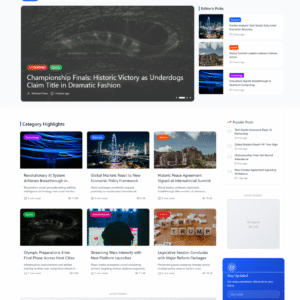
8. Not Understanding the Multi-Demo Concept
Problem
You pick a single demo theme and later realize you need variations.
Data
- Different users prefer different layouts
- A single layout limits flexibility
Solution
The best modern approach:
👉 Multi-demo themes
This means:
- Multiple homepage layouts in one theme
- Different design variations
- Easy customization
Final Insight (Soft Guidance)
Now let me be direct — theme selection is not a one-time decision, it’s a foundation decision.
If you choose the right theme from the beginning:
- SEO becomes easier
- Speed stays optimized
- Conversions improve
And if you choose the wrong one:
- You’ll need redesign
- Time and money both get wasted
👉 The smart approach:
- Choose a lightweight + SEO-friendly + multi-demo theme
- One that can scale in the future
Modern themes today (especially multi-demo concepts) are designed to solve this exact problem — offering multiple layouts within a single theme for better flexibility.
Conclusion
In short:
Avoid these mistakes in theme selection → your website becomes stronger automatically.
✔ Don’t ignore performance for design
✔ Don’t treat demos as reality
✔ Don’t chase unnecessary features
✔ Always check mobile, SEO, and compatibility
If you follow these basics, your website won’t just look “good” — it will be powerful.